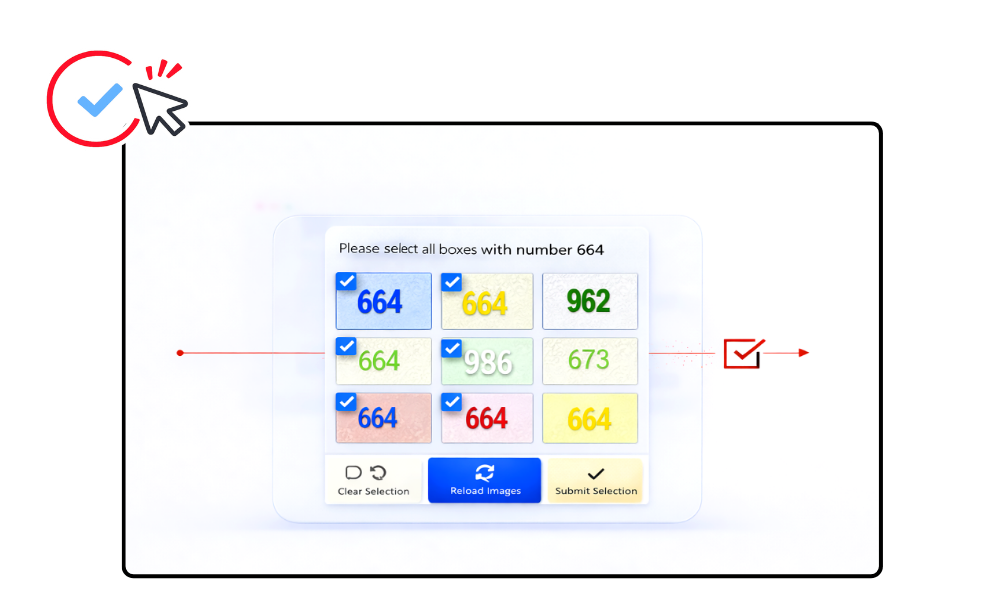
Captcha Solver Available

BLS Solver

High-accuracy solution for BLS Captchas of any difficulty.

CaptchaAI is a powerful BLS CAPTCHA solver for developers and automation systems. Easily solve BLS CAPTCHA challenges and bypass BLS CAPTCHA verification in booking and appointment workflows with our BLS CAPTCHA solving service, offering fast token generation and scalable concurrency.

  • > 99% success rate
  • Thread-based subscription
  • Unlimited solving
  • Per 1,000: As low as $0.0006
  • No per-captcha billing
BLS
Product
Success Rate
Speed
Subscription
Per 1,000
How to bypass
BLS
High-accuracy solution for BLS Captchas of any difficulty.
99%+
Success Rate
< 1 sec
Typical solving time
Custom plan
Unlimited solving
As low as $0.0006
Per 1,000

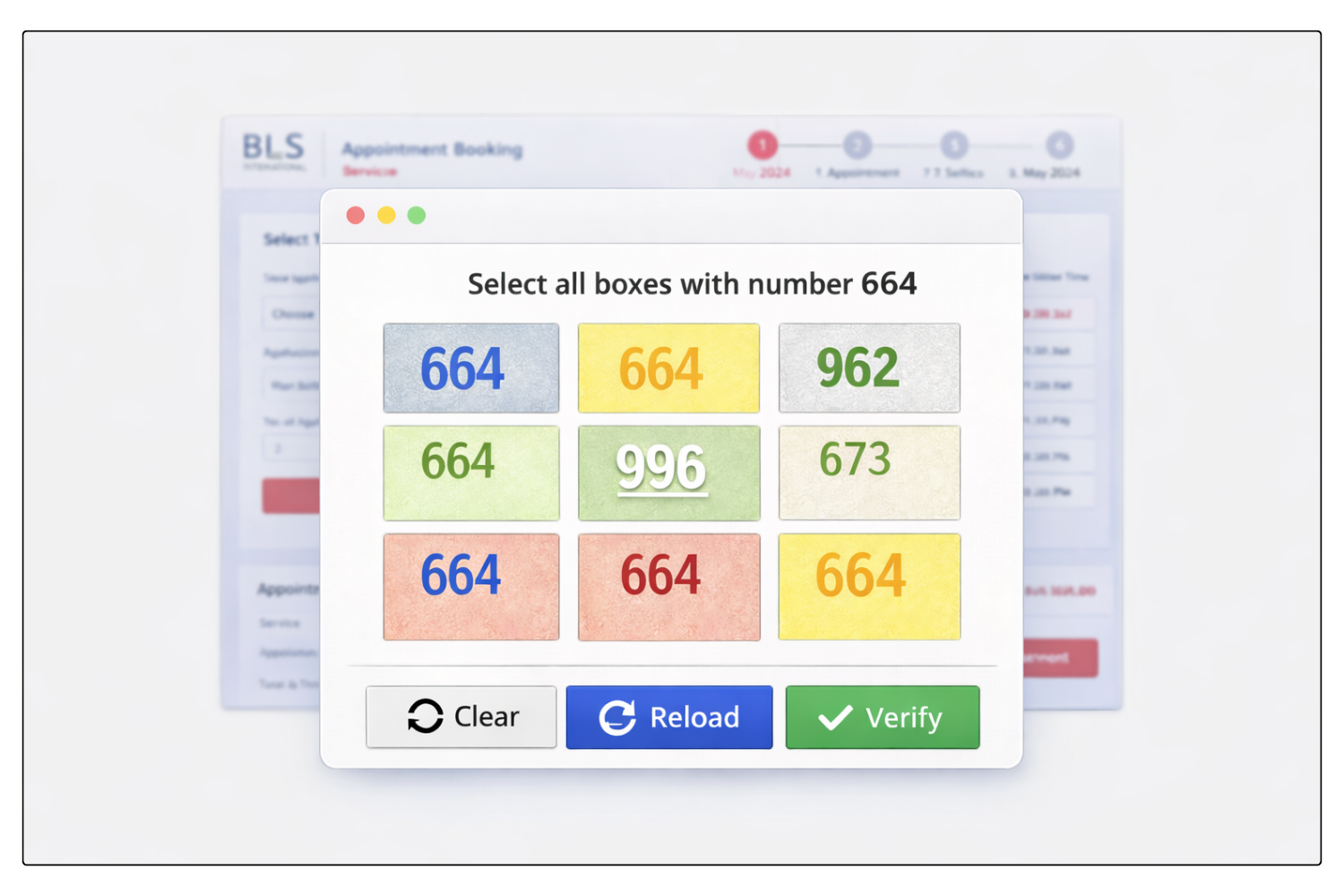
What is BLS CAPTCHA?

BLS CAPTCHA is a verification step commonly used on BLS appointment and visa-related portals to help prevent automated abuse, spam requests, and excessive bot traffic. It is typically placed before or during important actions such as checking appointment availability, submitting applicant details, or continuing through protected booking workflows.

A professional BLS CAPTCHA solver allows developers and automation systems to solve BLS CAPTCHA challenges programmatically through an API. This makes it possible to automate booking-related flows, reduce manual interruptions, and maintain stable performance in high-frequency appointment workflows.

How to Solve BLS CAPTCHA

CaptchaAI provides automated BLS Captcha solving for developers and automation systems. 
Our BLS Captcha solver allows you to solve BLS Captcha and bypass BLS Captcha verification using a simple API workflow.

Step 1: Prepare the Grid Images and Instruction

  • Extract all 9 images from the grid as separate images
  • Convert each image to Base64 data URI format: data:image/gif;base64,R0lGODlh...
  • Identify the numeric instruction code (e.g., 664, 123, 546)

The grid cells are numbered in reading order:

PYTHON
1 2 3
4 5 6
7 8 9

Step 2: Submit the Task to CaptchaAI

Send a POST request to https://ocr.captchaai.com/in.php with all 9 images and the instruction code.

PYTHON
import requests

# Prepare the data
data = {
    'key': 'YOUR_API_KEY',
    'method': 'bls',
    'instructions': '664',
    'json': '1'
}

# Add all 9 base64 images
files = {f'image_base64_{i+1}': (None, images[i]) for i in range(9)}

response = requests.post('https://ocr.captchaai.com/in.php', data=data, files=files)
result = response.json()
task_id = result['request']

Step 3: Retrieve the Solution

Wait 5 seconds, then poll for the result using a GET request to https://ocr.captchaai.com/res.php:

PYTHON
import time
import json

time.sleep(5)  # Wait 5 seconds

params = {
    'key': 'YOUR_API_KEY',
    'action': 'get',
    'id': task_id,
    'json': '1'
}

response = requests.get('https://ocr.captchaai.com/res.php', params=params)
result = response.json()

if result['status'] == 1:
    solution = json.loads(result['request'])  # e.g., [1, 4, 7, 8]
    print(f"Selected cells: {solution}")

Step 4: Apply the Solution

The response contains an array of cell indices (1–9) that match the instruction. For example:

  • [1, 4, 7, 8] means cells 1, 4, 7, and 8 contain the matching pattern
  • Click or select these cells to complete the captcha

Developer Quick Start

Solve BLS Captcha Using CaptchaAI API

Integrate BLS Captcha solving easily using the CaptchaAI API.
Use ready-to-run examples to automate BLS Captcha verification flows quickly.


import requests
import time
import json

API_KEY = "YOUR_API_KEY_HERE"
INSTRUCTION = "123"  # Numeric instruction code

# Prepare 9 base64 data URIs (one for each grid cell)
images = [
    "data:image/gif;base64,R0lGODlhAQABAIAAAAAAAP///yH5BAEAAAAALAAAAAABAAEAAAIBRAA7",
    "data:image/gif;base64,R0lGODlhAQABAIAAAAAAAP///yH5BAEAAAAALAAAAAABAAEAAAIBRAA7",
    "data:image/gif;base64,R0lGODlhAQABAIAAAAAAAP///yH5BAEAAAAALAAAAAABAAEAAAIBRAA7",
    "data:image/gif;base64,R0lGODlhAQABAIAAAAAAAP///yH5BAEAAAAALAAAAAABAAEAAAIBRAA7",
    "data:image/gif;base64,R0lGODlhAQABAIAAAAAAAP///yH5BAEAAAAALAAAAAABAAEAAAIBRAA7",
    "data:image/gif;base64,R0lGODlhAQABAIAAAAAAAP///yH5BAEAAAAALAAAAAABAAEAAAIBRAA7",
    "data:image/gif;base64,R0lGODlhAQABAIAAAAAAAP///yH5BAEAAAAALAAAAAABAAEAAAIBRAA7",
    "data:image/gif;base64,R0lGODlhAQABAIAAAAAAAP///yH5BAEAAAAALAAAAAABAAEAAAIBRAA7",
    "data:image/gif;base64,R0lGODlhAQABAIAAAAAAAP///yH5BAEAAAAALAAAAAABAAEAAAIBRAA7"
]

# Submit captcha
data = {
    'key': API_KEY,
    'method': 'bls',
    'instructions': INSTRUCTION,
    'json': '1'
}

files = {}
for i, img in enumerate(images, 1):
    files[f'image_base64_{i}'] = (None, img)

response = requests.post('https://ocr.captchaai.com/in.php', data=data, files=files)
result = response.json()

if result.get('status') == 1:
    task_id = result.get('request')
    print(f"Task ID: {task_id}")
    
    # Wait and get result
    time.sleep(10)
    while True:
        res = requests.get('https://ocr.captchaai.com/res.php', params={
            'key': API_KEY,
            'action': 'get',
            'id': task_id,
            'json': '1'
        }).json()
        
        if res.get('status') == 1:
            solution = json.loads(res.get('request'))
            print(f"Solution: {solution}")
            break
        elif res.get('request') == 'CAPCHA_NOT_READY':
            time.sleep(5)
        else:
            print(f"Error: {res}")
            break
else:
    print(f"Error: {result}")
const axios = require('axios');
const FormData = require('form-data');

const API_KEY = 'YOUR_API_KEY_HERE';
const INSTRUCTION = '123';  // Numeric instruction code

// Prepare 9 base64 data URIs (one for each grid cell)
const images = [
  'data:image/gif;base64,R0lGODlhAQABAIAAAAAAAP///yH5BAEAAAAALAAAAAABAAEAAAIBRAA7',
  'data:image/gif;base64,R0lGODlhAQABAIAAAAAAAP///yH5BAEAAAAALAAAAAABAAEAAAIBRAA7',
  'data:image/gif;base64,R0lGODlhAQABAIAAAAAAAP///yH5BAEAAAAALAAAAAABAAEAAAIBRAA7',
  'data:image/gif;base64,R0lGODlhAQABAIAAAAAAAP///yH5BAEAAAAALAAAAAABAAEAAAIBRAA7',
  'data:image/gif;base64,R0lGODlhAQABAIAAAAAAAP///yH5BAEAAAAALAAAAAABAAEAAAIBRAA7',
  'data:image/gif;base64,R0lGODlhAQABAIAAAAAAAP///yH5BAEAAAAALAAAAAABAAEAAAIBRAA7',
  'data:image/gif;base64,R0lGODlhAQABAIAAAAAAAP///yH5BAEAAAAALAAAAAABAAEAAAIBRAA7',
  'data:image/gif;base64,R0lGODlhAQABAIAAAAAAAP///yH5BAEAAAAALAAAAAABAAEAAAIBRAA7',
  'data:image/gif;base64,R0lGODlhAQABAIAAAAAAAP///yH5BAEAAAAALAAAAAABAAEAAAIBRAA7'
];

async function solveBLSCaptcha() {
  // Submit captcha
  const form = new FormData();
  form.append('key', API_KEY);
  form.append('method', 'bls');
  form.append('instructions', INSTRUCTION);
  form.append('json', '1');
  
  for (let i = 0; i < 9; i++) {
    form.append(`image_base64_${i + 1}`, images[i]);
  }

  try {
    const response = await axios.post('https://ocr.captchaai.com/in.php', form, {
      headers: form.getHeaders()
    });
    
    const data = response.data;
    if (data.status === 1) {
      const taskId = data.request;
      console.log(`Task ID: ${taskId}`);
      
      // Wait and get result
      await new Promise(resolve => setTimeout(resolve, 10000));
      
      while (true) {
        const result = await axios.get('https://ocr.captchaai.com/res.php', {
          params: { key: API_KEY, action: 'get', id: taskId, json: '1' }
        });
        
        if (result.data.status === 1) {
          const solution = JSON.parse(result.data.request);
          console.log(`Solution: ${solution}`);
          break;
        } else if (result.data.request === 'CAPCHA_NOT_READY') {
          await new Promise(resolve => setTimeout(resolve, 5000));
        } else {
          console.error('Error:', result.data);
          break;
        }
      }
    } else {
      console.error('Error:', data);
    }
  } catch (error) {
    console.error('Error:', error.message);
  }
}

solveBLSCaptcha();
<?php

$API_KEY = 'YOUR_API_KEY_HERE';
$INSTRUCTION = '123';  // Numeric instruction code

// Prepare 9 base64 data URIs (one for each grid cell)
$images = [
    'data:image/gif;base64,R0lGODlhAQABAIAAAAAAAP///yH5BAEAAAAALAAAAAABAAEAAAIBRAA7',
    'data:image/gif;base64,R0lGODlhAQABAIAAAAAAAP///yH5BAEAAAAALAAAAAABAAEAAAIBRAA7',
    'data:image/gif;base64,R0lGODlhAQABAIAAAAAAAP///yH5BAEAAAAALAAAAAABAAEAAAIBRAA7',
    'data:image/gif;base64,R0lGODlhAQABAIAAAAAAAP///yH5BAEAAAAALAAAAAABAAEAAAIBRAA7',
    'data:image/gif;base64,R0lGODlhAQABAIAAAAAAAP///yH5BAEAAAAALAAAAAABAAEAAAIBRAA7',
    'data:image/gif;base64,R0lGODlhAQABAIAAAAAAAP///yH5BAEAAAAALAAAAAABAAEAAAIBRAA7',
    'data:image/gif;base64,R0lGODlhAQABAIAAAAAAAP///yH5BAEAAAAALAAAAAABAAEAAAIBRAA7',
    'data:image/gif;base64,R0lGODlhAQABAIAAAAAAAP///yH5BAEAAAAALAAAAAABAAEAAAIBRAA7',
    'data:image/gif;base64,R0lGODlhAQABAIAAAAAAAP///yH5BAEAAAAALAAAAAABAAEAAAIBRAA7'
];

// Submit captcha using multipart form data
$ch = curl_init('https://ocr.captchaai.com/in.php');

$postData = [
    'key' => $API_KEY,
    'method' => 'bls',
    'instructions' => $INSTRUCTION,
    'json' => '1'
];

for ($i = 0; $i < 9; $i++) {
    $postData["image_base64_" . ($i + 1)] = $images[$i];
}

curl_setopt($ch, CURLOPT_RETURNTRANSFER, true);
curl_setopt($ch, CURLOPT_POST, true);
curl_setopt($ch, CURLOPT_POSTFIELDS, http_build_query($postData));

$response = json_decode(curl_exec($ch), true);
curl_close($ch);

if ($response['status'] == 1) {
    $taskId = $response['request'];
    echo "Task ID: $taskId\n";
    
    // Wait and get result
    sleep(10);
    
    while (true) {
        $ch = curl_init('https://ocr.captchaai.com/res.php?' . http_build_query([
            'key' => $API_KEY,
            'action' => 'get',
            'id' => $taskId,
            'json' => '1'
        ]));
        curl_setopt($ch, CURLOPT_RETURNTRANSFER, true);
        $result = json_decode(curl_exec($ch), true);
        curl_close($ch);
        
        if ($result['status'] == 1) {
            $solution = json_decode($result['request'], true);
            echo "Solution: " . json_encode($solution) . "\n";
            break;
        } else if ($result['request'] == 'CAPCHA_NOT_READY') {
            sleep(5);
        } else {
            echo "Error: " . json_encode($result) . "\n";
            break;
        }
    }
} else {
    echo "Error: " . json_encode($response) . "\n";
}

?>

Solve BLS CAPTCHA with CaptchaAI Extension
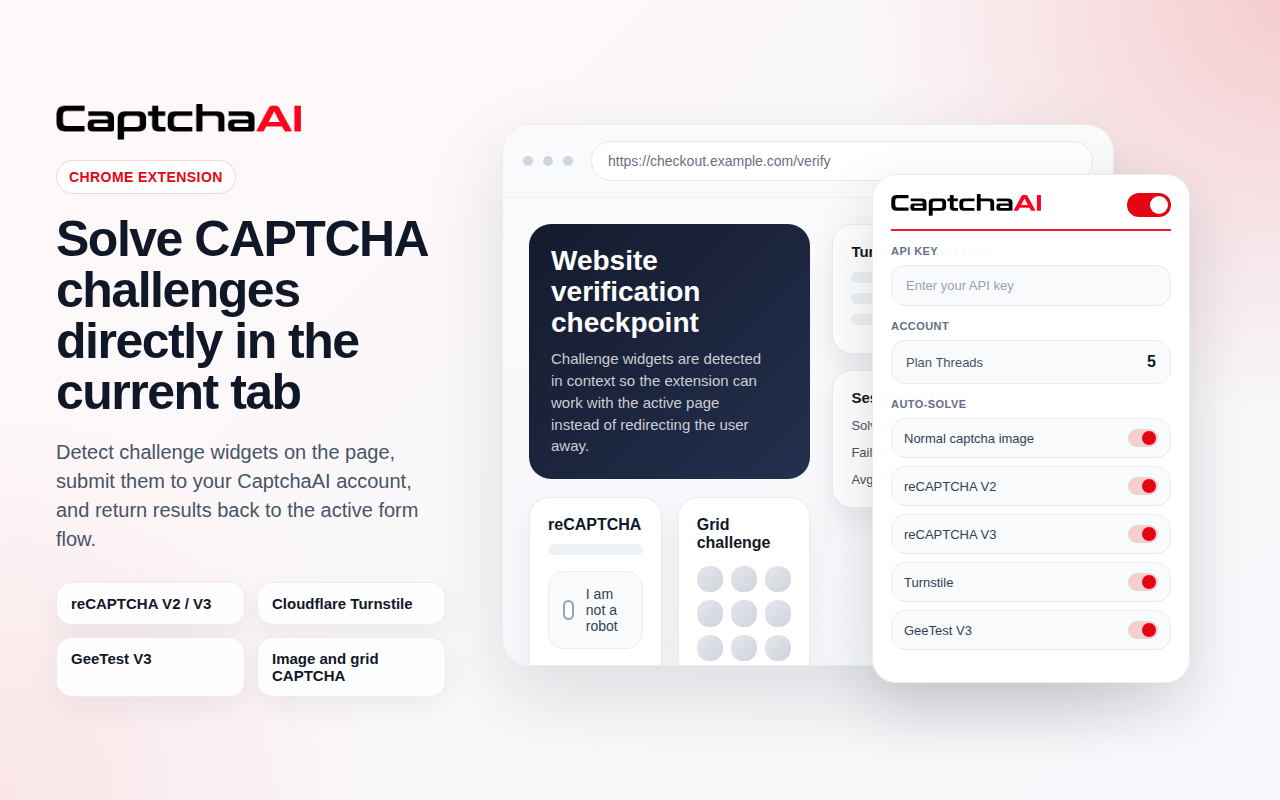
Use the CaptchaAI browser extension to solve BLS Captcha automatically in Chrome. No coding required. Connect your API key and enable auto-solving.

BLS Captcha solving is included in all subscription plans

Plans start from $15/month with unlimited solving under thread capacity.

View Full Pricing

Use Cases

Common workflows where automated BLS CAPTCHA solving helps handle protected booking steps, reduce manual friction, and improve reliability in appointment-related automation flows.

Appointment booking
Form submission automation
Applicant account workflows
Availability checking
Rescheduling workflows

BLS CAPTCHA vs Image CAPTCHA

BLS CAPTCHA and Image CAPTCHA both rely on direct visual solving, but they differ in implementation and use case. BLS CAPTCHA is typically tied to booking and appointment workflows with platform-specific formats, while Image CAPTCHA covers a broader range of static visual challenges used across many websites and applications.

Feature BLS CAPTCHA Image CAPTCHA
Challenge Type Platform-specific visual CAPTCHA General static image-based CAPTCHA
User Interaction Read or solve a booking-flow CAPTCHA Read, identify, or enter the image answer
Structure Custom implementation tied to BLS portals Often custom and non-standardized across websites
Implementation Style Direct answer solving for appointment workflows Direct answer extraction from image challenges
Best For BLS appointment systems and visa booking workflows Solve Media, Facebook captchas, and other image captcha formats

If the target site uses a general static image challenge instead of a BLS-specific implementation, use the Image CAPTCHA solver.

Use Image CAPTCHA Solver

FAQ

Frequently Asked Questions

BLS captcha typically uses grid-based image selection challenges to prevent automated submissions.

Automated solving can be achieved through grid recognition and token generation workflows.

Failures may occur due to dynamic image updates or incorrect grid response handling.

Yes. Although both may use grid-based selection, BLS captcha implementations differ in verification structure.

Need more help? Check CaptchaAI Help Center

Start Solving BLS CAPTCHA Today

Unlimited BLS Captcha solving with fixed monthly pricing and scalable concurrency.
Bypass BLS Captcha reliably using our professional BLS Captcha solver API.


channel avatar
CaptchaAI
online

Welcome 👋

Contact Us On Telegram!

Contact Team
Telegram